Barber Simulator Roblox: Cut, Shave, and Grow a Shop
What Is Barber Simulator?
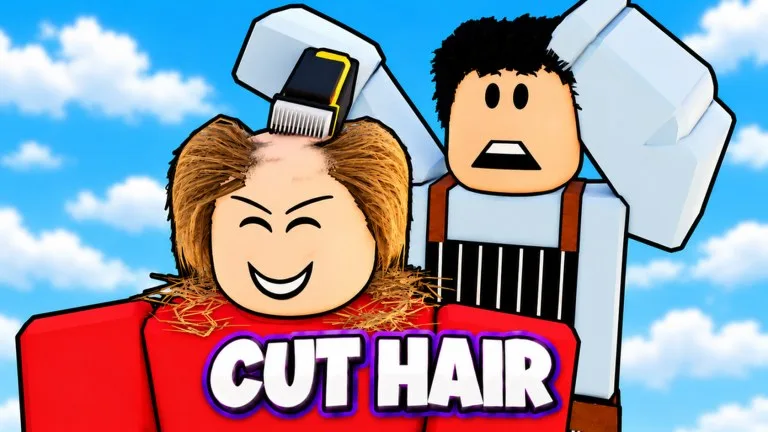
Barber Simulator is a Roblox shop-tycoon game by 67 Studio Games. The official pitch is to cut, shave, and dye real hair, then grow your barbershop into an empire. A big part of the loop is downtime: the listing leads with "EARNS OFFLINE" and says your barbers keep earning while you are away.
Update 2 is the current official focus. The page lists staff packs you can open to build a themed team, 20 legendary celebrities with their own entrances, giant moustaches to style, and a four-floor store with Candy, Space, and Neon furniture. Shop Appeal is the official reason to decorate: the more furniture you place, the more cash and rare clients you get. The listing also advertised time-limited Update 2 events dated mid-November 2026, including a 24-hour window on Nov 14–15 when 1 in 5 clients was a celebrity (20% legendary clients), and a 48-hour Statue Event on Nov 14–16 where shaving a giant statue's beard could win a statue that gives 1.5x cash. Check the live Roblox page to see whether those event windows are still running.
Play here: Barber Simulator on Roblox.
How to Play
- Cut, shave, and dye hair to grow the shop, and let your barbers keep earning while you are offline.
- Open staff packs to build a themed team, and work toward the listed roster of legendary celebrities — the page says there are 20, each with their own entrance.
- Style giant moustaches and furnish a four-floor store. Candy, Space, and Neon are the official furniture themes.
- Raise Shop Appeal by placing more furniture, which the listing ties to more cash and rarer clients.
- Join 67 Studio Games if you want the free exclusive furniture the official page advertises for group members. The listing also points to free codes in the community, but it does not print those codes in the description.
Platforms
Barber Simulator runs on Roblox. The official listing does not break out specific devices, so check the Roblox page and in-game menus for the layout on yours. The Update 2 notes mention a brand-new look for every menu, which is worth a quick tour the first time you load in after the update.
Beginner Tips
- Lean on offline earnings. The official page puts that feature first, so leaving barbers in place between sessions is part of the intended loop, not a side bonus.
- Spend early on furniture, not only on tools. Shop Appeal is the official link between decoration, cash, and rare clients.
- Use the four floors. Candy, Space, and Neon furniture are listed as the way to dress the store, so spreading a theme across floors is a practical way to raise Appeal.
- Open staff packs when you can. The official Update 2 feature is about building a dream team, including the 20 legendary celebrities with unique entrances.
- Favorite the game if you care about events. The listing asks you to favorite it so you do not miss the next one, and the mid-November celebrity and statue windows are a reminder that some bonuses are time-limited.
- Do not invent codes from this page. The official description only says free codes are in the community.
If you want a Roblox tycoon about cutting hair, decorating a multi-floor shop, and letting barbers earn while you are away, Barber Simulator is set up for that kind of grind.