Build a Bakery Roblox: Bake, Serve, and Grow a Cozy Shop
What Is Build a Bakery?
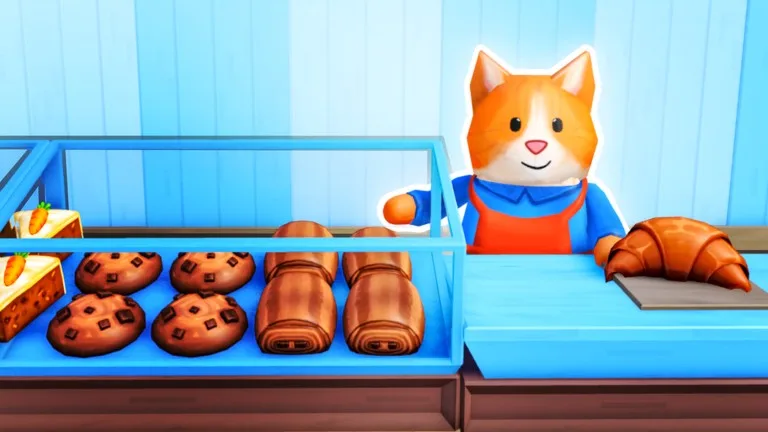
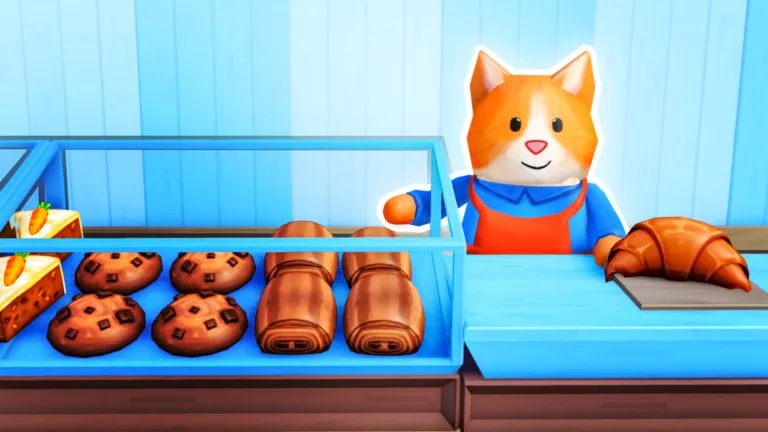
Build a Bakery is a cozy Roblox baking sim from the group Baking Community. The official listing, published with a croissant in the title, describes it as a chill game where you discover recipes, bake, and build. The credits on the page name Bertik, Olikus, and Sameek as the makers.
The shop loop is hands-on and social. You buy ingredients, mix dough and batter, bake, stock a display case, and serve customers. Cash goes into better machines, a fuller recipe book, and a bakery you can expand and decorate. You can also hire animal helpers and visit friends’ bakeries to buy their treats.
Play here: Build a Bakery on Roblox.
How to Play
The official how-to-play list is a clear production line, from the ingredient stand to a shop other players can visit.
- Buy ingredients at the stands. That is the official first step, before anything goes in a mixer.
- Mix dough and batter in your Mixer. The listing treats the Mixer as the station that turns ingredients into something you can bake.
- Bake it in the Oven. Raw mix does not go straight to the counter.
- Stock your Display Case and serve customers. Finished bakes need a place on the case before they sell.
- Collect cash and upgrade your machines. Better equipment is the official way the line gets faster and wider.
- Discover new recipes and fill your Recipe Book. Unlocking recipes is part of progress, not only a flavor list.
- Hire animal helpers. They can bake and sell for you, which is the official offline-style help on the page.
- Expand and decorate your bakery. The shop itself is something you grow, not a fixed room.
- Visit friends’ bakeries and buy their treats. Social visits are an official feature.
The listing also asks you to click the notification bell to follow for updates. It does not publish a full recipe list or a price table, so the in-game book and stands are the live reference.
Platforms
Build a Bakery runs on Roblox. Open it through the official Roblox experience page on the device you already use for Roblox. The official tone is cozy and chill, and visiting another player’s bakery is part of the loop, so any Roblox-supported device that lets you run the production line and travel to a friend’s shop is enough.
Beginner Tips
- Follow the official order at first: stands, Mixer, Oven, Display Case, then customers. Skipping a station is the fastest way to stall the line.
- Spend early cash on machine upgrades. The listing ties better equipment to the same loop that earns your next batch of cash.
- Keep filling the Recipe Book. New recipes are official progress, and they give the display case more than one product to sell.
- Hire animal helpers when you can. They are the official way the bakery can keep baking and selling while you are busy decorating or visiting a friend.
- Expand and decorate in between rushes. The shop you grow is part of the listed fantasy, not only a backdrop.
- Visit a friend’s bakery and buy something. That social step is official, and it is an easy way to see how another shop is laid out.
- Click the notification bell on the official page if you want update alerts. That is the follow method the developers ask for.
If you want a calm Roblox bakery about mixing, baking, a growing shop, and the occasional visit to a friend’s counter, Build a Bakery is set up for that kind of cozy session.