Gacha Online Roblox: Customize, Roleplay, and Hang Out
What Is Gacha Online?
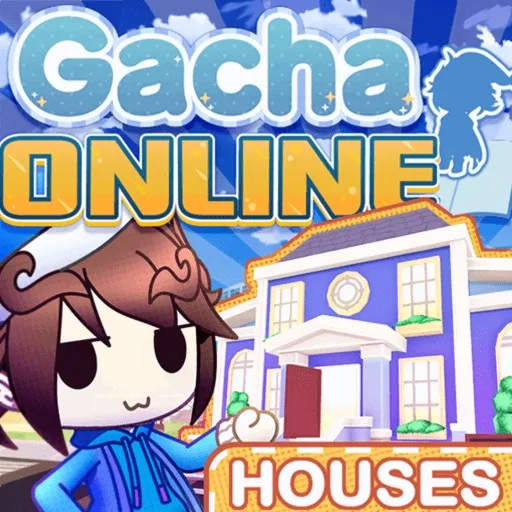
Gacha Online is a Roblox customization and roleplay game by the verified creator SnowdustDev. The official listing calls it a cozy customization game where you can become anyone or anything: a favorite character, a dog or cat, or an original character you design yourself.
The official page states that Gacha Online is an independent Roblox experience with permission granted by the Gacha Club and Gacha Life series. It is listed under Roleplay & Avatar Sim / Morph Roleplay, with sessions of up to 45 players. As of November 23, 2026, it appears on Roblox's Top Playing Now chart. The listing also promises new clothing every week.
Play here: Gacha Online on Roblox.
How to Play
The official loop is social customization and hangout play, not a ranked combat ladder.
- Build a look. The listing says you can customize and adjust anything you want, and that you can become a character without Robux being required for that part of the experience.
- Roleplay and meet people. Official prompts include becoming anyone, making friends, and hanging out in an anime-inspired world.
- Explore the world together. Named locations include a school, a cafe, and a beach.
- Design a home. You can design a custom home with other players, create custom roleplays, or show a look on the runway.
- Go further with morphs. The official customization system also lets you become a pet, an animal, or even a car.
- Play games in the same world. The listing includes playing games and designing a home together as part of the same hangout experience.
The official page lists genres as roleplay, town and city, hangout, fashion, dress up, cozy, playground, and building. That mix is a good guide to what a session is for: looks, places, and social play, rather than a single win condition.
Platforms
Gacha Online runs on Roblox. The official listing sets a maximum of 45 players, which is large enough for a busy town lobby. Open it from the official experience page on the device you already use for Roblox, then learn the customization menus before you jump into a busy school or cafe scene. Always launch from the official listing rather than a third-party client.
Beginner Tips
- Start with the official customization tools before you worry about a perfect outfit. The listing emphasizes that you can adjust almost anything, including original characters.
- You do not need Robux just to become a character, according to the official page. Explore the free customization options first.
- Walk the named locations early: school, cafe, and beach. Those are the official hangout spaces the listing actually names.
- If you like building, try a custom home and a simple roleplay setup with friends. Both are listed as core activities.
- Use the runway when you want to show a look rather than only editing in a menu. The official page treats that as part of the same style loop.
- Sample the morph options if you want something other than a standard avatar. Pets, animals, and even a car are officially part of the system.
- Check back for weekly clothing if you care about new styles. The official page advertises new clothing every week.
If you want a Roblox hangout where you can design a look, morph into almost anything, roleplay in an anime-inspired town, and build a home with friends, Gacha Online is set up for that kind of cozy customization play.