Hyper Draw Roblox: An All-Ages Drawing Competition With Real Tools
What Is Hyper Draw?
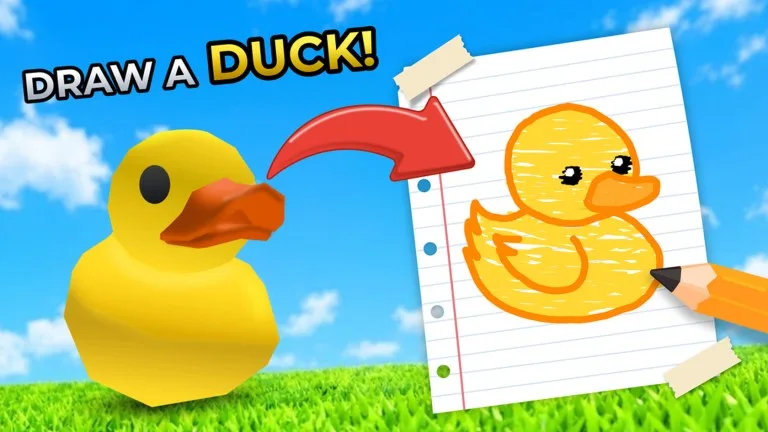
Hyper Draw! is a free-to-play Roblox drawing competition from the group Studio Giraffe. The official listing invites you into an advanced drawing contest that is marked for all ages, and it is set up so you can compete with friends and family.
The page also stresses the tools and the safety net around them. You get advanced drawing tools, you can save and load artwork, and every drawing is reviewed by Roblox moderation before it is published or replicated in-game.
Play here: Hyper Draw! on Roblox.
How to Play
Studio Giraffe published a clear set of tools and a voting loop on the official page.
- Draw with the free tools. The listing names a free Crayon, Airbrush, and Watercolor brush, used with Tool 2.
- Save and load your artwork. Progress on a drawing is official, not a one-shot sketch you have to finish in a single attempt.
- Vote with emojis, then watch the fireworks ceremony. After the drawing comes a vote, and a fireworks ceremony is part of the official close of the round.
- Use private servers for extra options. Private servers are listed with unlimited time extensions, custom themes, and skips.
The official controls cover keyboard and touchscreen. Tools are selected with keys or buttons 1 through 7. Zoom uses the blue magnifier (zoom in) or the red magnifier (zoom out) at the top right. Undo is Z, and redo is Y.
The official page does not publish a full theme list, a scoring table, or every paid or extra brush. Use the live game for those details as they appear in the current build.
Platforms
Hyper Draw! runs on Roblox, and the official control notes cover keyboard and touchscreen, which points to desktop and mobile or tablet play. The listing does not publish a shorter console list, so open it through the official Roblox experience page on the device you already use and confirm any platform notes there if they change.
Beginner Tips
- Start with the free Crayon, Airbrush, or Watercolor brush on Tool 2. Those three are the officially named starting kit.
- Learn the 1–7 tool row, then the zoom buttons at the top right, before you worry about a perfect drawing.
- Use Undo (Z) and Redo (Y) early. The listing includes them because the tools are meant to be edited, not only dashed off.
- Save work you like. Save and load is an official feature, so you do not have to treat every canvas as disposable.
- If you want more time, custom themes, or skips, the listing places those options in private servers, not in every public round.
- Remember that drawings go through Roblox moderation before they are published or replicated. Keep what you draw inside the game’s all-ages framing.
If you want a Roblox drawing competition with real brushes, emoji votes, and a fireworks finish, Hyper Draw! is set up as that kind of all-ages contest.