Run a Christmas Tree Lot Roblox: Stock, Sell, and Expand
What Is Run a Christmas Tree Lot?
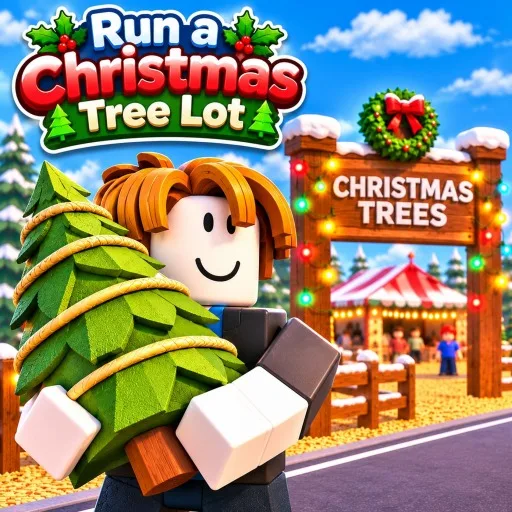
Run a Christmas Tree Lot is a Roblox simulation tycoon by the group Mr. Grinchmas. The official pitch is seasonal and direct: get ready for Christmas by starting your own Christmas tree business.
There is no combat loop on the official page and no long campaign outline. The experience is a small-business tycoon. You order and stock different types of Christmas trees, sell them to customers, hire workers, and spend the cash on expanding and upgrading the lot. The appeal is the holiday storefront itself, and the satisfaction of watching a thin lot turn into a busier operation.
Play here: Run a Christmas Tree Lot on Roblox.
How to Play
The official how-to-play list is short, which makes it easy to follow on a first session.
- Order and stock different types of Christmas trees. Inventory comes first. The listing makes it clear that you are dealing with more than one tree type, so stocking is a real choice, not a single item on a shelf.
- Sell trees to customers and earn cash. Sales are the official way the business makes money.
- Hire workers to help run the business. Help is a listed part of the loop, which matters as the lot gets busier than one player can handle alone.
- Expand and upgrade your Christmas tree lot. Cash goes back into the property and its upgrades so the stand can grow.
Read in order, that is a classic tycoon cycle: stock, sell, staff, then reinvest. The official page does not publish a hidden advanced manual on pricing or a detailed upgrade tree, so the best way to learn the feel of a good lot is to run that cycle in-game and watch what sells.
Platforms
Run a Christmas Tree Lot runs on Roblox, so you can open it through the official Roblox experience page on the devices the Roblox app already supports. The listing does not break out a separate desktop, mobile, or console control guide. Sessions are set up with a maximum of 6 players, which keeps the lot small and local. If you are on a touch screen, confirm the in-game buttons for ordering, stocking, and hiring after you load in.
Beginner Tips
- Start by stocking more than one kind of tree. The official page specifically mentions different types, so a single-product shelf is not the loop it describes.
- Keep the lot stocked before you obsess over upgrades. You cannot sell what you have not ordered, and sales are the official source of cash.
- Watch how customers actually buy. The official page does not publish a demand chart, so in-game traffic is the real guide for what to reorder.
- Hire workers when you cannot keep up with both stocking and selling. Staff is a listed part of the business, not an optional cosmetic.
- Use early cash to fix obvious bottlenecks first, whether that is empty stock, not enough help, or a lot that still needs its first expansion.
- Expand and upgrade the lot as a reinvestment step, not as the first click. The official list puts growth after you are already ordering, selling, and staffing.
- Because servers cap at 6 players, you may be sharing a small lot. Stay aware of the shared space and keep your own stocking loop tidy.
- The official page does not list a long endgame beyond expanding and upgrading, so treat each session as a chance to make the lot more complete rather than hunting an unlisted final boss.
If you want a compact Roblox holiday tycoon about ordering trees, serving customers, hiring help, and growing a Christmas lot, Run a Christmas Tree Lot is built around that seasonal storefront.