BloxNG Beginner Guide (2026)
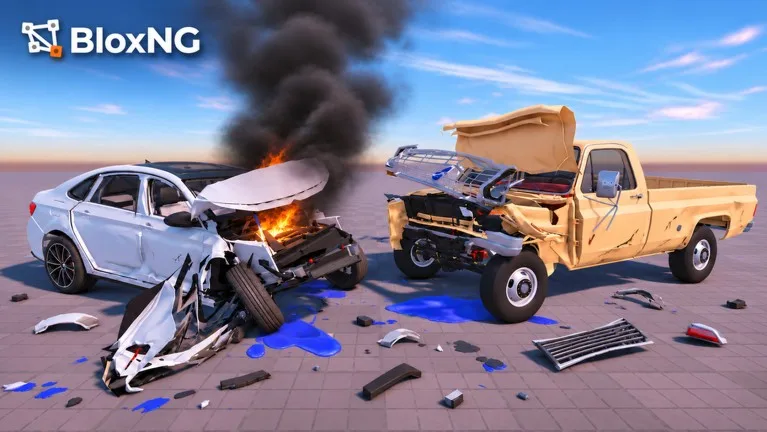
BloxNG by Deform Dynamics is a Roblox crash-physics driving game. The official listing still says the game is in beta, and it describes soft-body deformation: metal crumples where it is hit, wheels can snap off, doors hang open, glass cracks, and speed, angle, and weight shape every crash. This beginner guide covers your first car, the driving keys, and how cash and the dealership work — not a full car roster.
Guide researched November 18, 2026 (Pacific Time) from the official Roblox experience page and public writeups of the in-game Controls panel, APEX Motor House dealership, and crash HUD. Because the official page marks BloxNG as a beta, binds, shop prices, and mission text can change; confirm the current Controls panel in-game.
How a session starts
You spawn near the city, not already mid-crash. Public beginner writeups agree on this order:
- Open the dealership or garage. Public HUD notes bind the shop to B (APEX Motor House) and the garage to U. The dealership lists cars with power, 0-60, top speed, and weight, plus class filters and a test-drive option on many cards.
- Pick a usable starter, or test-drive first. You do not need a game-pass car to learn the physics. If a card offers a short test drive, use it before you spend a large cash pile.
- Press H if you need the Controls panel. Public guides say H shows or hides the official in-game key list. Use that panel as the authority if this page and your current build disagree.
Driving and reading a crash
Public control lists taken from that in-game panel match a standard layout:
- W to throttle and S to brake (hold S to reverse).
- A and D to steer, and Space for the handbrake.
- G to toggle drift mode, and X to switch cockpit and chase cameras.
- R to repair, or to bring the car back if you are on foot; T to respawn at the start.
- F / E to get out or get in, and I to start or stop the engine.
The official premise is that speed, angle, and weight decide how hard a hit is, so a slow parking-lot bump will not look like a highway wreck. After a heavy crash, public HUD writeups describe a damage diagram with labels such as a lost corner or a seized engine. If the car will not move, get out and use R, or respawn with T and go back to the dealership if the wreck is done.
Some public clips also show a Skill Chain counter for speed and drifting, occasional police after a crash, and a “Drive to the Crash Zone” style objective. Treat those as current-build extras — they are useful practice, not a campaign you have to finish in a set order.
Cash, the shop, and what not to buy first
Public writeups say cash rises as you drive, and that skill-chain and crash activity help the total along. Spend it at APEX Motor House on a car you can actually control. Optional Robux game passes exist on the official store (public snapshots have listed cars and packs such as an F1 or Supercar pass), but they are not required to learn the beta.
The official description does not print redeem codes, and public checks of the game page and developer group have not found a live official list. Do not invent strings from other crash games. If Deform Dynamics later posts a code on the official listing, redeem only that official text.
A simple first-session plan
- Open the Controls panel with H and stay in a starter or test-drive car until the throttle, brake, and handbrake feel natural.
- Take a few low-speed hits first, then raise your speed so you can see how angle and weight change the wreck.
- If the car is disabled, recover with R on foot or respawn with T rather than sitting in a seized engine.
- Buy a new car only after you can drive, crash, and recover without spending the whole cash balance on one impulse purchase.
BloxNG is built around watching a car break, not around a long story. If a session feels chaotic, drop back to a slower car, read the damage panel, and remember the official rule: the crash is shaped by how you hit, not by a hidden damage roll.