Build Your World Beginner Guide (2026)
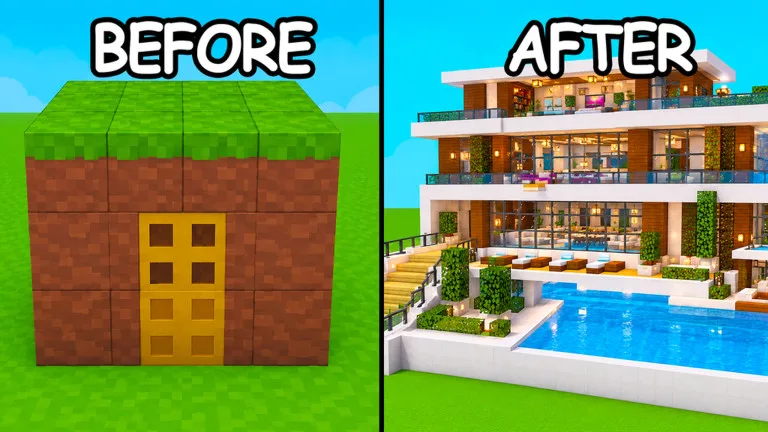
Build Your World by Cozy Games! is a Roblox sandbox. The official listing says you get your own plot and can build anything, with hundreds of blocks and 100+ furniture pieces, horses and pets, and friends on your plot. It also warns that other players can troll plots with TNT and tornadoes, and that you can protect your base. Builds save in free private servers. This beginner guide covers claiming a plot, raising a small shell, and when to move a keeper build — not a block tier list.
Guide researched November 19, 2026 (Pacific Time) from the official Roblox experience page and public getting-started writeups of plot claiming, starter shells, and private-server saves. Catalog items and grief tools can change, so confirm the current labels in-game.
Claim a plot, then build a small shell
Public beginner guides say the first job is to find an unclaimed plot and claim it before you start decorating. Servers officially support a small group (public writeups list a maximum of 8 players), so busy hours can fill every pad — hop servers if nothing is free. Do not start a house on an unclaimed pad.
Once the plot is yours, build structure before furniture. Public first-session plans use a short order: a modest foundation (a small 6×6 or 8×8 footprint is enough to learn), outer walls with a single doorway, a roof or other cover, then a door, a light, and basic interior furniture. Officially there are hundreds of blocks; that variety is easier to enjoy after you have a closed shell. Lawn decorations and pets can wait until the house has a door.
Officially you can also ride horses and raise pets. Public guides treat mounts as useful for scouting empty plots and visiting friends, and pets as a better fit for a finished interior — not as the first unlock of the session.
Public practice vs a private-server save
The official description is clear that builds save in free private servers, and that TNT and tornadoes can hit other plots. Public writeups split the choice this way: use a public server to learn the tools and build with friends, then move anything you want to keep to a free private server and invite only people you trust. A public plot is a practice canvas, not a vault.
If you stay public, official advice is to protect your base. Public protection notes suggest a simple inner room for favorite furniture, a limited number of entrances, and keeping valuables off the front porch — the first things chaos tools wipe. Agree on grief rules before someone “tests” TNT on the living room.
Public mid-November 2026 checks reported no verified promo codes from Cozy Games!. The official description does not print a redeem string, so skip random social-media codes.
A simple first-session plan
- Join, find a free pad, and claim the plot immediately. If claiming fails, leave and rejoin rather than building on a pad you do not own.
- Place a small foundation, walls, a roof, and a door, then add one light and a piece or two of furniture inside.
- Walk the plot edges and notice neighbors. In a full lobby, adjacent builders can help — or drop a tornado next door.
- If the build is something you want next week, open a free private server and continue there. Save horses, pets, and experimental palettes for after the shell exists.
Build Your World rewards a plot you still own tomorrow more than a mansion that lasts five minutes. Claim early, shell fast, decorate second, and park keeper builds in a free private server.