MAHANAKHON RACING Beginner Guide (2026)
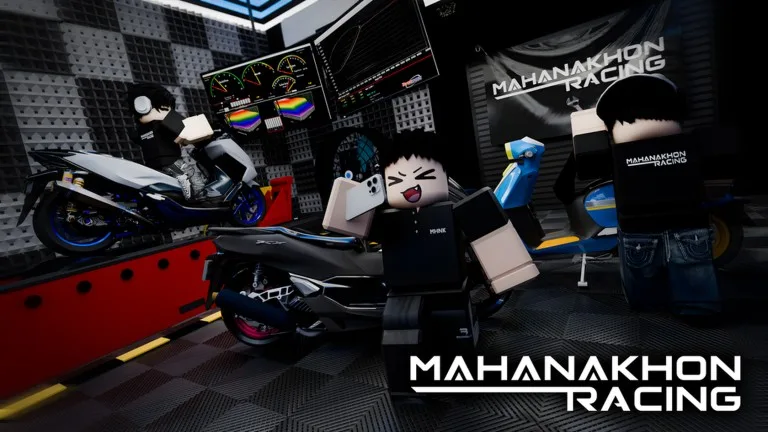
MAHANAKHON RACING by MAHANAKHON RACING is a Roblox motorbike riding game. The official experience description already publishes a complete first-session how-to: spawn a bike, get on, start the engine, retract the kickstand, then ride, plus a full official control list for driving, lights, camera, warp, and customization. This beginner guide walks that official loop. The same official page also prints a current redeem code; for the working list, see our MAHANAKHON RACING codes page.
Guide researched November 22, 2026 (Pacific Time) from the official Roblox experience page. The official how-to is written in Thai; the steps below are a direct English rendering of that official list. Key labels and menu names can change, so confirm the current prompts in-game.
Spawn, start, then ride — in the official order
Officially, the first ride is a short sequence, not a free-roam jump-in:
- Press G to spawn the vehicle.
- Walk to the vehicle and press E to get on.
- Press R to start the engine.
- Press K to retract the kickstand.
- Press W to go.
If the bike will not move, you probably skipped the engine or the kickstand — both are official required steps, not optional flourishes. The official drive list is: W to accelerate, S to brake (hold S when stopped to reverse), Shift to brake, A / D to turn left and right, hold Ctrl for a wheelie, Q to crouch, and Space to exit the vehicle. Learn a clean start and a controlled stop on a quiet street before you hold Ctrl for wheelies.
Use the official extras after you can already ride
The official page also lists lights and horn: Z / C for left and right turn signals, X for hazard lights, H for the horn, and L for custom lights. Those are roleplay and visibility tools. Get used to throttle and braking first, then add signals when you are already comfortable in traffic.
Official miscellaneous controls are: V to change camera view, M for mirrors, P to customize the vehicle (only at the official customization point), N to warp, F for the phone, hold J to store the vehicle, and Y for free camera. Use warp and customization after one successful official start-and-ride, so you still remember the G-E-R-K-W order if you need to spawn again. If you already claimed the official MAHANAKHON code, spend the grant on that first ride rather than opening every menu at once.
A simple first-session plan
- Join the official MAHANAKHON RACING experience and complete the official spawn sequence: G, walk to the bike, E, R, K, then W.
- Ride a short loop with W, S, A, and D only, and practice a full stop (and reverse with held S if you need to back up).
- Change the camera with V if the default view feels tight, then try lights or a wheelie only after you can start and stop cleanly.
- Visit an official customization point and press P if you want to tune the bike, or hold J to store it when you are done.
MAHANAKHON RACING is a spawn-and-ride loop. If the bike stalls or will not move, start the official sequence over from G, confirm the engine and kickstand, and leave stunts for a second lap.
FAQ
Why won’t the bike go after I sit on it? The official how-to requires you to start the engine with R and retract the kickstand with K before you press W. Getting on with E is not enough.
Are there official MAHANAKHON RACING codes? Yes. The official experience description currently prints MAHANAKHON. See our MAHANAKHON RACING codes page for the list we copied from that official line and the redeem steps.