The Great Build Beginner Guide (2026)
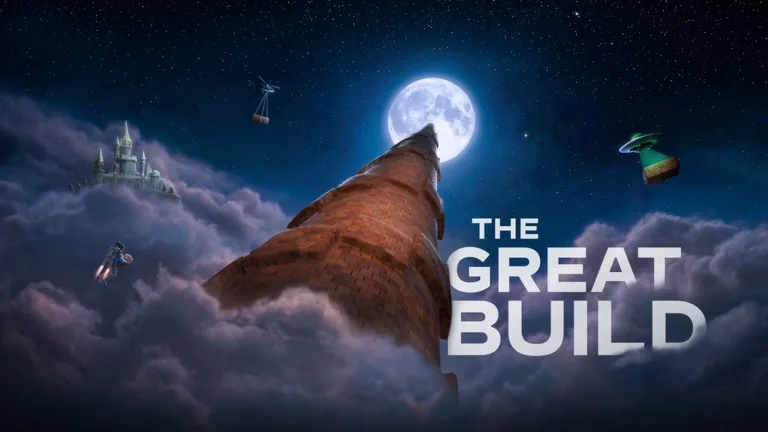
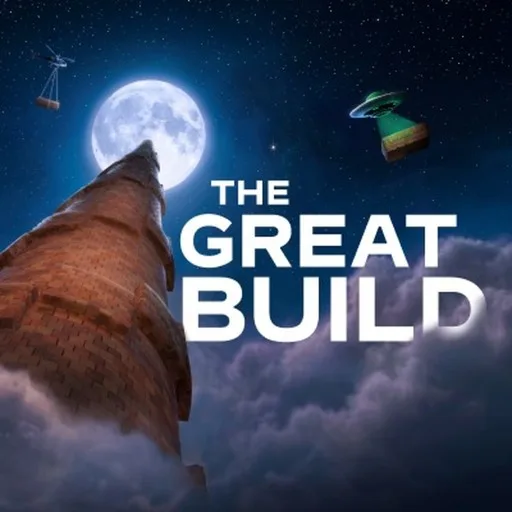
The Great Build by Roblox Presents is Roblox’s official community event for November 25–30, 2026. Everyone adds a gratitude message to one shared tower, and free UGC unlocks as that tower hits community milestones. This beginner guide covers the official hourly loop and how to use the limited window — not a complete item checklist, because the live listing does not name every reward.
Guide researched November 26, 2026 (Pacific Time) from the official Roblox experience page and current public event writeups. The event ends on November 30; the official page does not state the exact end time that day, so treat the date as a hard deadline and confirm remaining milestones in the hub.
How the official loop works
The official listing is built around five steps. Grab your free block — a fresh one drops every hour. Pick a message of gratitude, from everyday things to your favorite influencers, and choose how you want to say it; your username goes on the block. Send it up so the block finds its spot in the shared tower. Explore the tower and read what other players wrote. Unlock free UGC together as the tower reaches new milestones, then come back each hour to add another message and see how high it has gone.
The rewards are community unlocks, not a solo click-rush. You do not have to place every block yourself to benefit when a milestone lands, but you do have to show up inside the November 25–30 window. Public event writeups also note that there are no official redeem codes and that nothing in the event is meant to cost Robux; claim rewards in the official Roblox Presents hub, not in a similarly named copy.
A simple first-visit plan
- Launch the official Roblox Presents experience — look for The Great Build from that group, not a typo-clone tower game.
- Grab the free Gratitude Block when it is available, then pick your message. Official wording says you choose what you are grateful for and how you want to say it, so expect guided options rather than a totally free-typed essay.
- Send the block into the tower, then walk the build and read other messages. Exploring the tower is a listed part of the event, not a side activity.
- Look at the in-hub boards and item pedestals for the current community count and any claimable UGC. Public event guides describe extra hub challenges, such as an obstacle course or timed tasks, but those details are not on the official page — confirm what is live in your server before you plan around a specific item name.
- Leave and come back later. The official cadence is one new free block per hour, so a short return visit is how you actually add more messages before November 30.
Beginner tips
Treat the end date as a hard limit. If you want a milestone reward, do not wait until the last day; the official page does not spell out the exact closing time on November 30. A message you are happy to have your username on matters more than rushing the prompt — other players can read it on the tower.
Hourly consistency beats a single long session. The tower grows with how many people return, not with how fast anyone clicks. Keep an eye on the live Roblox page and the in-hub boards, because item lists and milestone numbers can appear there even if they were not printed in the original description. For a shorter overview, see our The Great Build game page.
FAQ
When does The Great Build end? The official listing runs from November 25 to November 30, 2026. It does not state the exact clock time on the 30th, so arrive early that day if you still need a claim.
Are there official codes? Public event writeups and the official page do not list a redeem-code box. The free items come from placing blocks and reaching community milestones in the official hub.