Symphony Orchestra Simulator Roblox: Play Classical Music
What Is Symphony Orchestra Simulator?
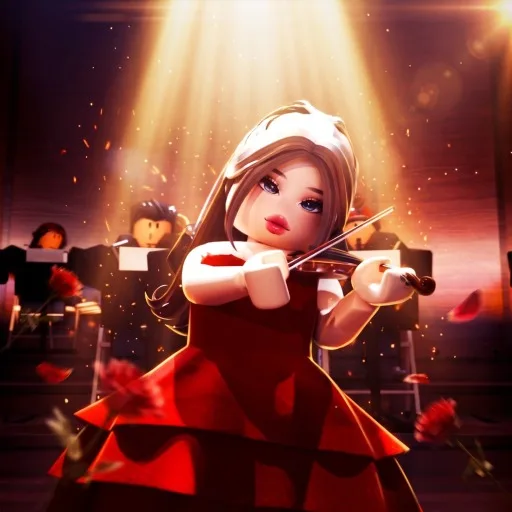
Symphony Orchestra Simulator is a Roblox music and rhythm game by merpug01. The official listing invites you to join an orchestra in a grand concert hall, play real classical music with other players, hit the notes as they fall, and hope the spotlight lands on you for a solo.
It is listed under Action / Music & Rhythm, with sessions of up to 35 players. As of November 23, 2026, it appears on Roblox's Top Trending and Top Playing Now charts. The hook is not a single-player piano roll. You are one part of a concert, and the crowd can cheer or boo when it is your turn to stand out.
Play here: Symphony Orchestra Simulator on Roblox.
How to Play
The official loop is a shared concert rather than a one-song practice room.
- Pick your instrument. The listing names violin, cello, trumpet, flute, harp, and timpani, and says there are 16 instruments in all.
- Hit the notes as they fall. You play your part in the current piece while the rest of the orchestra plays alongside you.
- Watch for a solo. The official page says the spotlight can land on you. The orchestra stops, the camera swoops in, and the crowd decides the result: cheers and roses, or boos and tomatoes.
- Vote for the next song. Named options include Ode to Joy, the Can-Can, Canon in D, Swan Lake, In the Hall of the Mountain King, and Flight of the Bumblebee, with more songs beyond that list.
- Or sit in the audience. You can grab a theatre seat, cheer friends on, and throw roses at the best soloist.
- Request a concerto. Walk into the spotlight at center stage and play five solos while the whole hall watches.
Because the next piece comes from a player vote, a session can move from a familiar melody to a faster showpiece without you leaving the hall. The official description is built around that mix of ensemble playing, spotlight solos, and audience reaction.
Platforms
Symphony Orchestra Simulator runs on Roblox. The official listing sets a maximum of 35 players, which is large enough for a full-looking orchestra and an audience in the same hall. Open it from the official experience page on the device you already use for Roblox, then confirm your note-hit and camera controls before a judged solo so you are not adjusting mid-phrase.
Beginner Tips
- Learn one instrument first. The listing names 16 options, so it is easier to lock in timing on a single part before you shop around.
- Treat falling-note accuracy as the main job during ensemble sections. The official loop is about playing your part, not only waiting for a solo.
- Join the song vote when you can. The next concert piece comes from that vote, and sitting it out means you have less say in what the hall plays.
- If the spotlight finds you, play the solo cleanly. The crowd reaction is part of the official design, with roses and tomatoes on the line.
- Try an audience seat in an early session. Watching from the theatre is an official way to see how solos are judged before you request a concerto.
- Save the five-solo concerto request until you are comfortable in the spotlight. That mode puts the whole hall on your performance.
- Launch from the official Roblox listing rather than a third-party client.
If you want a Roblox concert hall where you pick an instrument, play classical music with other people, take solos, and vote on the program, Symphony Orchestra Simulator is set up for that kind of shared performance.