Tiny Skies Roblox: Fighter Jets, Helicopters, and Dogfights
What Is Tiny Skies?
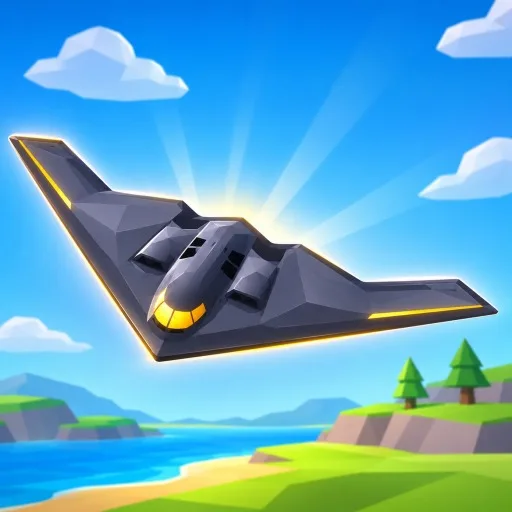
Tiny Skies is a Roblox air-combat game by katabin1. The official listing describes fast fights in which you fly 21 fighter jets and 7 helicopters, dogfight real players and AI, sink carriers, bomb bases, and try to win the match for your team.
It is listed under Action / Battlegrounds & Fighting, with sessions of up to 15 players. The official page also highlights flight school, easy mouse aim, and phone controls, which makes the experience easier to start on more than one kind of device. A shop, VIP, auto rearm, paint schemes, and upgrades are listed as part of the current official feature set.
Play here: Tiny Skies on Roblox.
How to Play
The official loop is team or free-for-all air combat across four named modes.
- Choose an aircraft. The listing says 21 jets and 7 helicopters are available. Free jets named on the page are the F-5E, A-4 Skyhawk, and MiG-21. Free helicopters are the Little Bird, Huey, and Medevac. Other named aircraft include the F-22, Su-57, F-35, F-14 Tomcat, MiG-25, A-10, Cobra, Hind, Apache, and Ka-52.
- Pick a mode. Official modes are Strike (base assault), Dogfight, Free-for-All, and Naval carrier battles.
- Use the listed weapons. The official arsenal includes heat-seekers, radar and anti-ship missiles, bombs, rockets, and guns.
- Play the match extras. Kill streaks, medals, bomber raids, and convoys can appear mid-match. The page also mentions day and night conditions, carrier launches, and ejection seats.
The official control list is unusually specific: mouse to fly, click for guns, Space for weapons, R to switch weapons, Shift and Ctrl for throttle, X for flares, M for the map, and Tab for scores. Flight school and easy mouse aim are listed if you want a slower introduction, and phone controls are called out for mobile play.
Paint schemes and upgrades are available for every aircraft, according to the official page. Leaderboards, daily rewards, and missions are also listed. Treat shop, VIP, and auto-rearm options as optional extras unless you already like the core flying.
Platforms
Tiny Skies runs on Roblox. The official listing sets a maximum of 15 players and mentions both mouse aim and phone controls, so you can play from a computer or a phone. Open it from the official experience page on the device you already use for Roblox, then confirm flight, throttle, and weapon binds in a quiet session before a serious dogfight. Always launch from the official listing rather than a third-party client.
Beginner Tips
- Start in flight school, or at least with easy mouse aim, before you jump into a full Naval or Strike match.
- Learn the official control set early: mouse to fly, click to fire guns, Space for weapons, R to cycle them, Shift and Ctrl for throttle, and X for flares.
- Begin with a free aircraft. The official page names the F-5E, A-4 Skyhawk, and MiG-21 as free jets, and the Little Bird, Huey, and Medevac as free helicopters.
- Pick one mode and learn its objective. Strike is listed as base assault, Naval is carrier battle, Dogfight and Free-for-All are more direct air fights.
- Do not ignore flares and weapon switching. Both are named in the official controls because incoming missiles and mixed loadouts are part of the fight.
- Use the map (M) and score list (Tab) to stay oriented mid-match, especially when bomber raids or convoys are in play.
- Save shop, VIP, and cosmetic paint purchases until the flying feels good. The official upgrades are there, but they are not required to start a match.
If you want a Roblox air-combat game with a long official aircraft list, four modes, and clearly posted mouse and phone controls, Tiny Skies is built around that kind of dogfight and base-assault session.