Crash Engine Beginner Guide (2026)
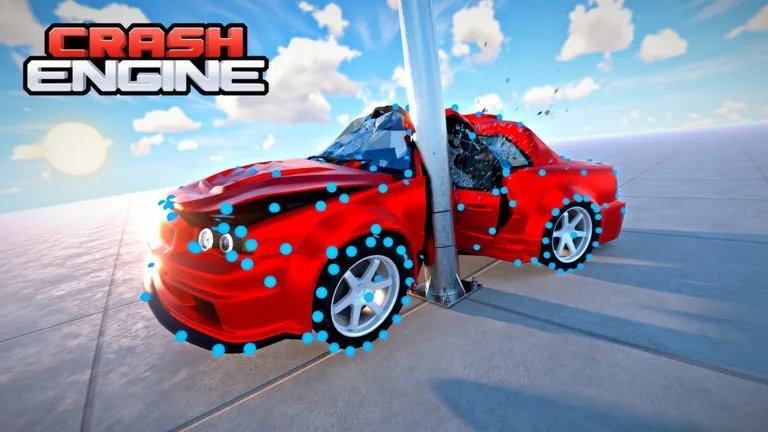
Crash Engine by Softbody Games is a Roblox physics sandbox built around real soft-body cars. You drive, collide, and watch a vehicle bend, break, and come apart at the point of impact — then rewind the wreck and try it again. This beginner guide covers the official tools and a first-session plan that stays on one clean crash at a time.
Guide researched November 27, 2026 (Pacific Time) from the official Roblox experience page. The listing does not publish a car roster, map list, or scoring mode, so confirm those live details in the experience itself.
Start with one clean crash
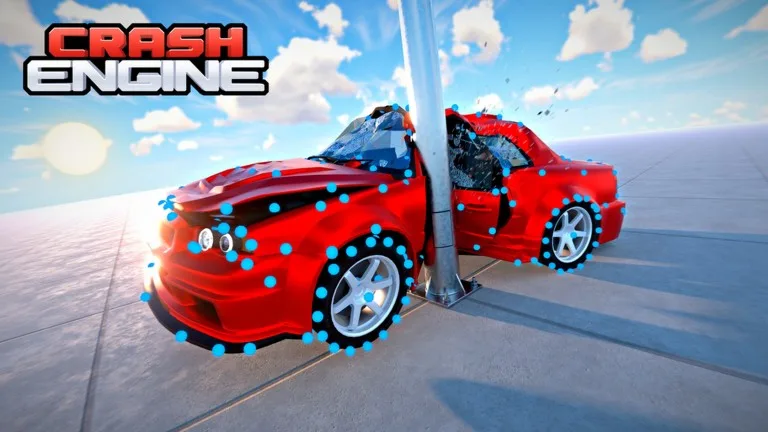
The official pitch is that these cars do not bounce away like rigid toys. A hit can bend metal, break glass, and tear parts off right where the car connected, with sound to match. Each vehicle also has its own engine sound, weight, and handling, and driving is described with suspension, grip, skids, and tire marks.
The early mistake is stacking obstacles, swapping cars, and launching wrecks before you have seen one simple impact. Favorite the official Softbody Games experience, pick one car, and run a single crash on a clear surface first. That is how you learn what the soft-body system actually does.
A simple first-session plan
- Launch the official Crash Engine experience and choose one car. Notice how it sounds and how it sits on the road before you look for something to hit.
- Drive a short line into a simple object or wall. After the impact, actually look at the deformation — the official loop is to inspect what bent, what broke, and what came off.
- Use rewind to study or repeat that same hit. Rewind is an official tool, not a hidden debug trick, and it is the cleanest way to compare two crashes.
- Change one variable at a time: a different car, a slightly different angle, or grab-and-throw instead of a normal drive-in. The listing treats grabbing and tossing cars as a second way to start a wreck.
- When you want a more deliberate scene, place obstacles before the next impact instead of only using whatever is already in the world.
- If you are playing with friends, use a private server. That is the official co-op path on the page. Servers are listed for up to 24 players, but a quieter server is easier when you are still learning the physics.
Beginner tips
Try more than one car once you have a baseline crash. Because weight and handling are official differences, the same object will not crumple every vehicle in the same way. Pay attention to skids and tire marks as well as the wreck itself — those are listed as part of the driving model, not as decoration.
Use grab-and-throw when you want a different kind of impact than a rolling collision, and place obstacles only after you can already read a simple hit. The official tags — softbody, flexbody, destruction, physics, and beam — all point at that sandbox, not at a campaign with a finish line.
Like and favorite the official listing if you want to catch new cars or tools. The page does not spell out a shop, codes, or a ranked mode, so do not plan a progression path around features that are not on the live experience.
FAQ
Is Crash Engine a racing game? No. The official loop is a physics sandbox: drive, crash, inspect, and rewind. There is no published race mode or finish line on the listing.
Does it have redeem codes? The official Roblox description does not list promo codes, and we did not find a verified official codes list for this experience at the time of research. If a Codes button appears in a later update, redeem only strings posted by Softbody Games and confirm them in-game.
Can I play with friends? Yes. The official page lists private servers as the way to share the sandbox, with room for a full group.