Realistic Plane Crashing Roblox: Soft-Body Physics and Destruction
What Is Realistic Plane Crashing?
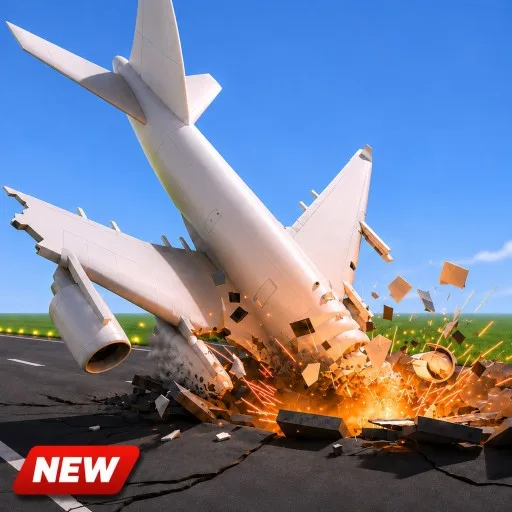
Realistic Plane Crashing is a Roblox physics sandbox by the group For Plane Lovers! The official listing describes it as a plane-crashing game with advanced soft-body physics, realistic deformation, and large-scale destruction. You fly different types of planes, then crash them and watch the airframe bend, break, and fall apart.
Update 2.5 is the version currently called out on the official page. Around the crash itself, the listing adds destructible buildings and obstacles, multiple maps and crash locations, and room to experiment with endless crash scenarios.
Play here: Realistic Plane Crashing on Roblox.
How to Play
The official loop is a sandbox, not a scored campaign: take off, pick a target, and study how the plane comes apart.
- Fly different types of planes. The listing presents a roster of aircraft rather than a single default jet.
- Crash with soft-body physics. Damage is meant to look and feel physical: the page highlights realistic deformation as the main spectacle.
- Hit destructible buildings and obstacles. Cities and other crash sites are part of the official playground, not just flat runways.
- Watch the breakup. Planes are described as bending, breaking, and falling apart after impact.
- Explore different maps. Multiple crash locations are listed, so the same plane can produce a very different wreck in a new place.
- Experiment with scenarios. The official pitch is endless crash setups, which means changing speed, angle, plane, and map is the intended play pattern.
There is no official ranked mode or story campaign described on the page. Progress, if you want a goal, is in trying more planes, more maps, and more impact setups. The listing also asks players to like the game for more planes, maps, and updates.
Platforms
Realistic Plane Crashing runs on Roblox. Play it through the official Roblox experience page on the device you already use for Roblox. Soft-body destruction is visually heavy, so a stable session on a device that can keep the physics readable will make crashes easier to follow.
Beginner Tips
- Start with a simple crash on a clear bit of map so you can see how soft-body damage actually behaves before you aim at a dense cluster of buildings.
- Switch planes often. The official listing treats different aircraft as part of the fun, and each one can deform in a new way.
- Aim for destructible buildings and obstacles once you can control a flight path. Those listed targets are where the deformation show is supposed to happen.
- Change maps instead of repeating the same approach. Multiple crash locations are official, and a new layout is an easy way to keep the sandbox fresh.
- Treat each flight as an experiment: adjust speed and angle, then watch the breakup. “Endless crash scenarios” is the official design, not a hidden mission list.
- Give the session a moment to load and settle. Soft-body physics and collapsing buildings are the main feature, and they are clearer when the world is fully in place.
- If you enjoy a particular plane or map, like the game on the official page. The developers list new planes, maps, and updates as the reason to support it.
Update 2.5 is the version the official page is advertising right now, so if a menu or a plane list looks different from an older clip, trust the live experience. The developers also ask for likes in exchange for more planes, maps, and updates, which is a sign the sandbox roster is still growing.
If you want a Roblox sandbox about flying a plane into a city and watching soft-body physics tear it apart, Realistic Plane Crashing is built for that kind of destructive experiment.