Build a Racetrack Beginner Guide (2026)
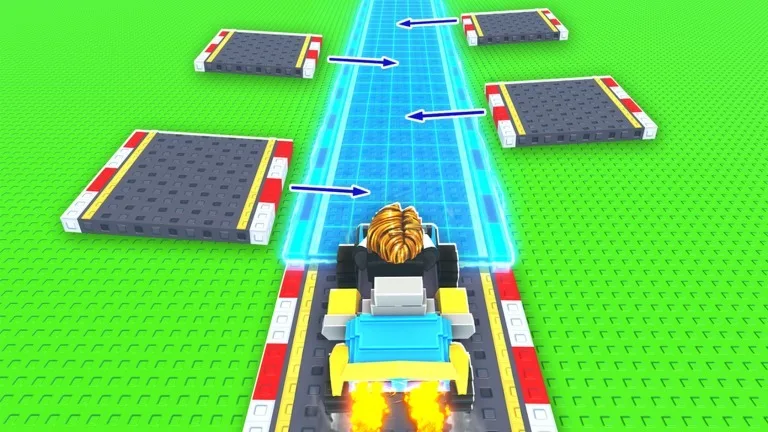
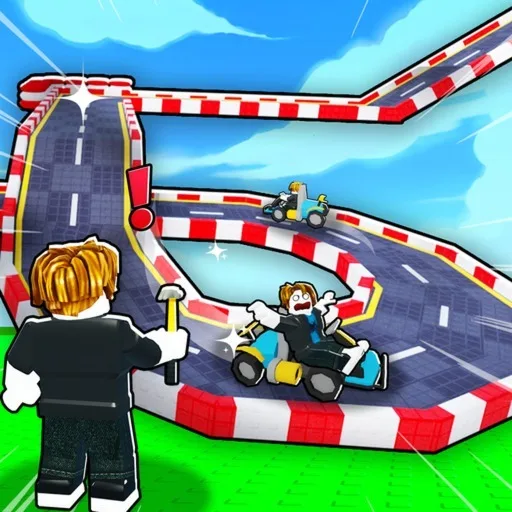
Build a Racetrack by Fun² Games is a Roblox tycoon. The official loop is already on the experience page: buy track pieces, design a custom racetrack with turns, loops, and jumps, then race on your own course or on other players’ tracks to earn money. You can also buy better racecars to earn more, and the listing says your racetrack keeps generating money while you are offline. This beginner guide covers that first cash loop — not a full piece or car catalog.
Guide researched November 20, 2026 (Pacific Time) from the official Roblox experience page and public writeups of the Codes button and a short closed-loop first track. Piece names, car prices, and code strings can change, so confirm the current labels in-game.
Redeem the official code, then build a short closed loop
The official experience description currently prints a line that says New Code: RELEASE. Public redeem writeups place a Codes button on the left side of the screen and say to type the string exactly, then press a blue Enter or Redeem button. Several public lists report that RELEASE grants 5,000 cash, but the official page does not print a reward amount, so redeem it in-game and trust the credit you actually receive. For the current official string and redeem steps, see our Build a Racetrack codes list.
Spend that early cash on a tiny course you can actually finish, not on a stack of loops and jumps. Public first-session writeups say to buy basic straights and turns, connect them into a closed loop with no gaps, and drive a couple of clean laps before you add spectacle. If a jump or gap dumps the car, simplify the layout until two laps complete in a row. Cash without a finishable track does not start the official race-to-earn loop.
Race for cash, then upgrade a car and leave the track working
Officially, you earn by driving on your own racetrack or on other people’s tracks, and better racecars earn more money. Once your loop works, run laps on it, then hop a finished-looking course in the same session if one is available — the experience is set up with a maximum of 6 players. Buy a better car only after laps are reliable and you still have enough cash to fix a broken piece. Cosmetic extras can wait.
When you log out, leave a working track in place. Officially, the racetrack keeps generating money while you are away. Public writeups warn that a broken or unfinished main layout is a poor offline setup, so repair the loop before you quit. Third-party pages sometimes list extra promo strings that are not on the official experience page; skip those and put early cash into a completable course and one earnings-minded car.
A simple first-session plan
- Join the official Fun² Games experience, open the Codes button, and redeem
RELEASEif it is still printed on the experience page. - Buy basic straights and turns and connect them into a short closed loop you can finish twice in a row.
- Race your own track for cash, and drive someone else’s finished course if one is open in the server.
- Buy a better racecar only after the loop is reliable, then log out with that working track still in place so official offline earnings can run.
Build a Racetrack is a build-and-drive cash loop. If you are not earning, shrink the course until a lap actually finishes, then upgrade the car — a fancy unfinished jump does not pay while you are offline.