Catalog Avatar Creator Beginner Guide – Try-On Tips, Stores & Commands
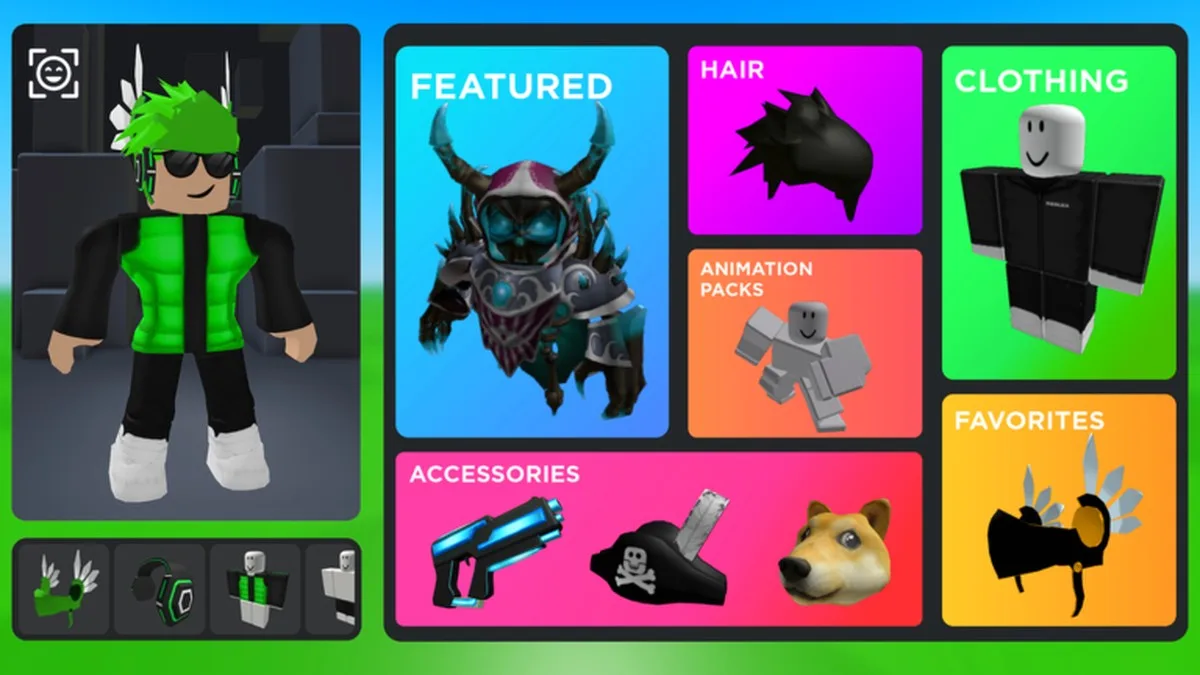
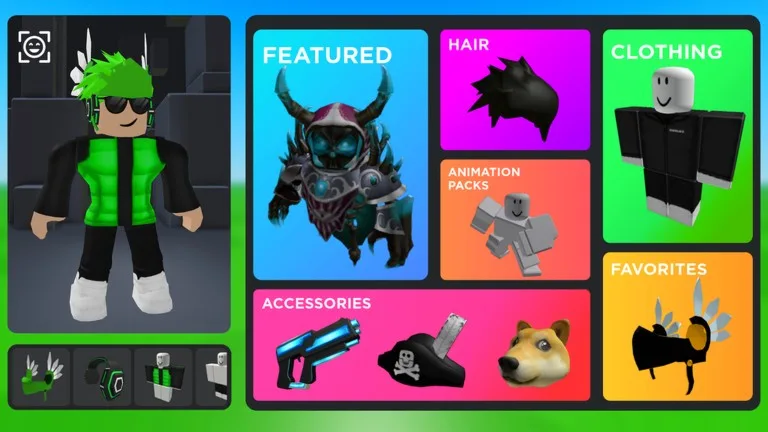
Catalog Avatar Creator by Muneeb is Roblox’s go-to free fitting room: browse the catalog, try hats, hair, clothes, and animation packs on your avatar, and only pay Robux if you decide to buy. There is no score or campaign—your goal is building looks you like.
Open the experience: Catalog Avatar Creator on Roblox.
Getting started
- Search Catalog Avatar Creator by Muneeb and hit Play.
- You spawn with your current avatar and an item browser—no long tutorial.
- Open Stores near the top to search stores or browse categories (hats, hair, accessories, bundles, and more).
- Click an item to preview it instantly; click again to remove it. Trying on is free.
Core loop: search → preview → save the look
- Build outfits in layers: body/skin → shirt/pants or layered clothing → hair → hats/face → accessories → animation packs.
- Compare alternatives by swapping one slot at a time so you can see what actually changed.
- When you buy inside the game, it works like any Roblox purchase: listed Robux price, item lands in your real inventory for use across experiences.
Handy chat commands
Type these in chat (start with /). Use /cmds anytime for the in-game list.
- /r15 / /r6 — switch body type for the session (layered clothing usually looks better on R15).
- /speed 30 (or higher) — move faster while browsing.
- /vip or /private — solo server for quiet outfit work.
- /clone — spawn a still copy of your avatar for side-by-side comparisons; /npc for a walking copy.
- /booth — spawn a text booth to showcase a look.
- /headless, /korblox, /sshf — session-only try-ons of popular limited looks (they do not save to your Roblox avatar when you leave).
Tips for better outfits
- Match color palettes across shirt, pants, and accessories instead of stacking every bright item.
- Check how hair collides with hats—swap hair before blaming the hat.
- “Nothing” / blank clothing pieces are popular for clean layered looks; search catalog clothing named for blank/nothing bases if you want a minimal canvas.
- Use a VIP server when you are screenshotting or comparing clones so other players’ avatars do not crowd the shot.
- Only purchase after you are sure—previewing never spends Robux.
Common mistakes
- Buying the first item that looks okay without comparing two or three alternatives.
- Assuming /headless or /korblox permanently changes your avatar (session-only).
- Editing on R6 when you mainly play R15 games (or the reverse)—switch with /r15 or /r6 to match your real use case.